

Microsoft
Windows
Power your passions
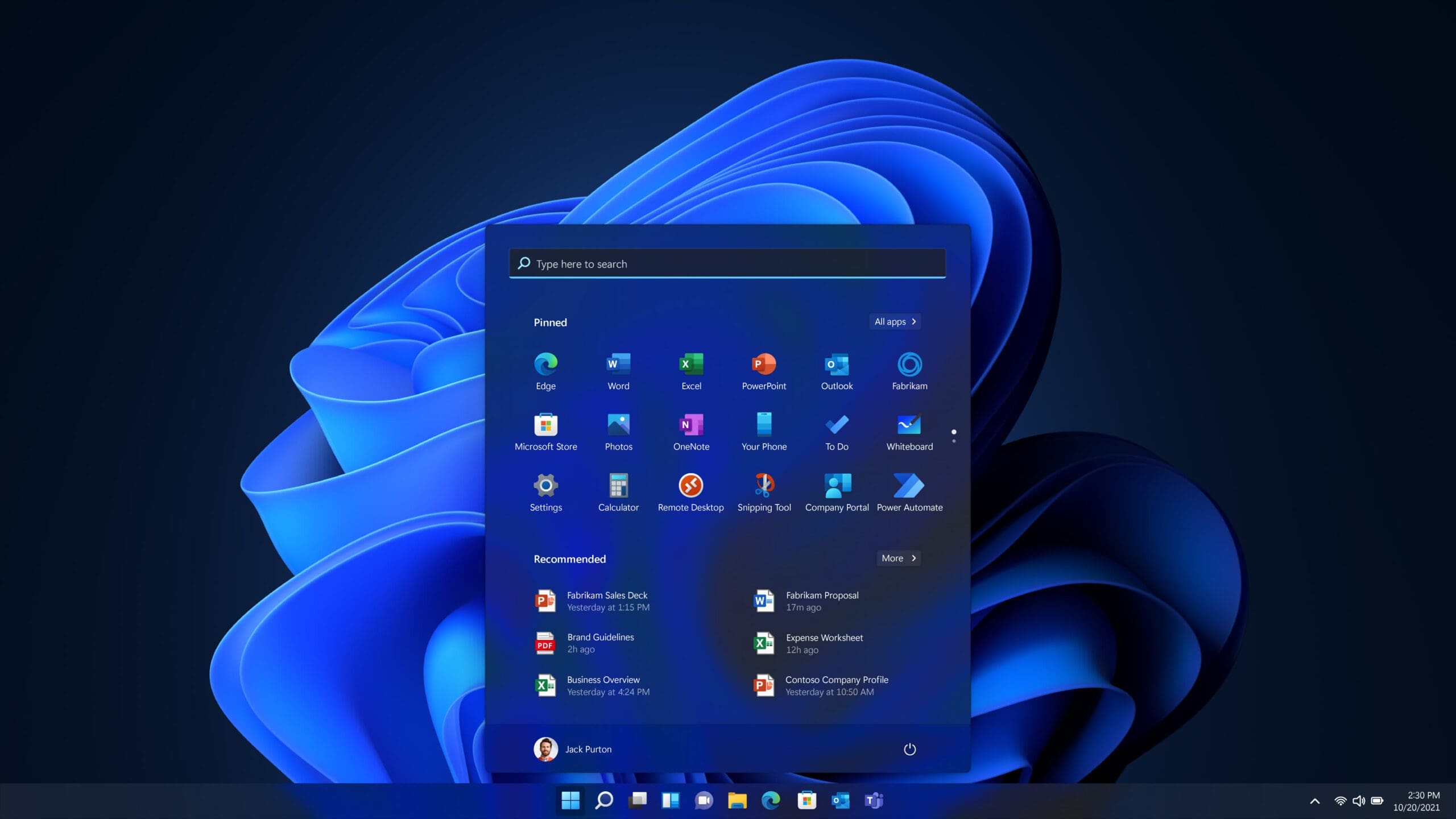
Windows 11 is designed for both personal and professional use. It features a refreshed interface with a centered Start menu, improved window management through Snap layouts, and deeper integration with Microsoft services like Teams and OneDrive. Windows 11 supports a wide range of devices and includes built-in security features such as hardware-based isolation and secure boot.
Compare Windows
| Features | Windows 11 Home | Windows 11 Pro |
|---|---|---|
| BitLocker Drive Encryption: If your device is lost or stolen, BitLocker puts everything on lockdown, so no one else can access your systems or data | ✅ | |
| Device Encryption: If you turn on device encryption, only authorized individuals will be able to access your device and data | ✅ | ✅ |
| Find my Device: Keep track of your devices, even your digital pen! | ✅ | ✅ |
| Firewall and Network Protection: Your Windows device comes with built-in security features to help safeguard against viruses, malware, and ransomware. | ✅ | ✅ |
| Internet Protection: App & browser control in Windows Security helps protect your device from potentially dangerous apps, files, websites, and downloads. | ✅ | ✅ |
| Parental Controls and Protection: Manage screen time, limit access to mature content, and control online purchases when you connect your family's Microsoft accounts. | ✅ | ✅ |
| Windows Hello: Uses facial recognition, fingerprint, or PIN, for a fast, secure, and password-free way to unlock your compatible Windows devices | ✅ | ✅ |
| Windows Security: View and manage the security and health of your device. | ✅ | ✅ |

Microsoft 365 for Home
Get more done at home with Microsoft Office. Whether you’re managing the family budget, helping with homework, or organizing your personal projects, Microsoft Office puts powerful, easy-to-use tools at your fingertips. With trusted apps like Word, Excel, PowerPoint, and Outlook, you can create, collaborate, and stay on top of what matters most, all from the comfort of your home. Choose the version that fits your lifestyle, from a one-time purchase to a flexible Microsoft 365 subscription with cloud storage and premium features.


Microsoft 365 Personal
Microsoft 365 Personal includes 1 TB of cloud storage, advanced security, and innovative apps with Microsoft Copilot.
- For one person
- Use on up to five devices simultaneously
- Works on PC, Mac, iPhone, iPad, and Android phones and tablets
- 1 TB (1000 GB) of secure cloud storage
- Productivity apps with Microsoft Copilot
- Higher usage limits than free for select Copilot features
- Microsoft Designer AI-powered image creator and editor
- Clipchamp video editor with exclusive filters and effects
- Microsoft Defender advanced security for your personal data and devices
- OneDrive ransomware protection for your photos and files
- Ongoing support for help when you need it
Microsoft 365 Family
Microsoft 365 Family is a subscription for one to six people that includes advanced security, cloud storage, and innovative apps with Microsoft Copilot.
- For one to six people
- Each person can use on up to five devices simultaneously
- Works on PC, Mac, iPhone, iPad, and Android phones and tablets
- Up to 6 TB of secure cloud storage (1 TB per person)
- Productivity apps with Microsoft Copilot
- Higher usage limits than free for select Copilot features
- Microsoft Designer AI-powered image creator and editor
- Clipchamp video editor with exclusive filters and effects
- Microsoft Defender advanced security for your family’s personal data and devices
- OneDrive ransomware protection for your family’s photos and files
- Ongoing support for help when you and your family need it
Office Home 2024
The essentials to get it all done. Office Home 2024 is for students and families who want classic Office apps including Word, Excel, PowerPoint, and OneNote for Windows 11 and Windows 10.
- One-time purchase for 1 PC or Mac
- Classic 2024 desktop versions of Word, Excel, PowerPoint, and OneNote
- Access to support resources
- Compatible with Windows 11, Windows 10, or macOS*
- For non-commercial use
- Works with Microsoft Teams

Microsoft 365 for Business
Microsoft 365 brings together the tools your business needs to work smarter, collaborate seamlessly, and stay secure in a fast‑moving digital world. From powerful productivity apps to intelligent cloud services and enterprise‑grade security, Microsoft 365 helps teams streamline workflows, automate routine tasks, and unlock new levels of efficiency. Whether you’re managing projects, communicating with clients, or safeguarding sensitive data, Microsoft 365 provides a unified platform designed to scale with your business and support the way you work today


Why Businesses Choose Microsoft 365
Microsoft 365 gives organizations a complete, secure, and scalable productivity platform designed for modern work. Here’s why companies of all sizes rely on it:
All‑in‑one productivity suite
Everything your team needs in one place.
Cloud‑based collaboration
Work together in real time from anywhere.
Advanced security
Protect your data and devices with enterprise‑grade tools.
Scalable and cost‑effective
Pay only for what you need and grow as you go.
Always up to date
Automatic updates and new features included.
Microsoft Visio

Visio Standard 2024
Microsoft Visio Standard 2024 is the latest standalone diagramming solution designed for professionals who need a powerful yet easy‑to‑use tool for turning complex ideas into clear, structured visuals
Visio Plan 1
Diagramming made simple.
Create flowcharts, network diagrams, Azure diagrams, org charts, and more. Use modern shapes and templates easily and intuitively with Visio.
Visio Plan 2
Use Visio Plan 2 to turn complex ideas into simple diagrams, connect diagrams to external data sources, and collaborate on diagrams online, anywhere.
Microsoft Visio: Turn Complex Ideas Into Clear, Professional Diagrams
Microsoft Visio is the industry‑leading diagramming solution that helps teams visualize information, map out processes, and communicate ideas with clarity. Whether you’re designing network layouts, creating organizational charts, planning workflows, or documenting systems, Visio gives you the tools to transform complexity into easy‑to‑understand visuals.
Why Choose Microsoft Visio?
- Professional Diagrams Made Simple: Build polished visuals in minutes using templates for flowcharts, network diagrams, org charts, and more.
- Designed for Collaboration: Co-author diagrams in real time, leave comments, and stay aligned across teams.
- Seamless Microsoft 365 Integration: Works with Teams, SharePoint, Excel, and PowerPoint for connected documentation.
- Data‑Driven Visuals: Link diagrams to live data sources like Excel or SQL for automatic updates.
- Accessible Anywhere: Create and edit diagrams from any device with Visio for the web.
What You Can Create with Visio
| Diagram Type | Ideal For |
|---|---|
| Flowcharts | Process mapping, SOPs, troubleshooting guides |
| Network Diagrams | IT infrastructure planning, topology documentation |
| Org Charts | HR planning, team structure visualization |
| Floor Plans | Office layouts, facilities management |
| UML & ERD Models | Software architecture, database design |
| BPMN Models | Workflow optimization, compliance documentation |
Benefits for Your Organization
- Improve communication across technical and non‑technical teams
- Standardize documentation and processes
- Reduce errors with clear, visual workflows
- Accelerate planning, troubleshooting, and decision‑making
- Enhance presentations and client deliverables
Perfect for IT, Business, Engineering, and Creative Teams
From network engineers to project managers, Visio empowers professionals across industries to work smarter and present information with confidence.
Request A Quotation
Microsoft Planner
Formerly Project Plan 1
Planner Plan 1
Planner Plan 1 includes:
- Creation and management of content-rich tasks with features including files, checklists, and labels
- Project goals
- Backlogs and sprints
- Premium plan templates
- Ability to build reports and dashboards2
- Grid, Board, Timeline (Gantt), and Charts views
- Task dependencies
- Customization and integration
- Security, compliance, data privacy, accessibility, and Microsoft 365 customer support
Formerly Project Plan 3
Planner and Project Plan 3
Includes everything in Planner Plan 1, plus:
- Task history
- Roadmaps
- Baselines and critical path
- Resources request capabilities
- Program management
- Project financials, budgeting, and costing
- Advanced dependencies with lead and lag
- Project desktop
- Project Online
Formerly Project Plan 5
Planner and Project Plan 5
Includes everything in Planner and Project Plan 3, plus:
- Advanced portfolio management
- Enterprise resource management and allocation
What Is Microsoft Planner?
Microsoft Planner is a simple, visual task and project management tool included with Microsoft 365. It helps teams organize work using boards, lists, timelines, and collaborative planning features. Planner centralizes tasks, assignments, deadlines, and progress tracking so teams can stay aligned and productive.
- Visual task boards with buckets, labels, and due dates
- Real-time collaboration and task updates
- Templates for marketing, IT, HR, operations, and more
- Integration with Microsoft Teams, Outlook, and other Microsoft 365 apps
- Multiple views including lists, boards, timelines, and sprints
Request A Quotation
Windows Server
Windows Server is Microsoft’s enterprise‑grade operating system designed to power modern business infrastructure. It provides secure, scalable, and reliable capabilities for hosting applications, managing identities, storing data, and running critical workloads whether on‑premises, hybrid, or in the cloud.
Secure Infrastructure
Built‑in multi‑layer security helps protect your environment from evolving threats. Features like Windows Defender, Credential Guard, and Secure Boot strengthen your defenses from the OS level up.
Hybrid Cloud Ready
Seamlessly integrate with Azure for backup, monitoring, identity, and disaster recovery. Windows Server is designed for hybrid environments, giving you flexibility and control.
Scalable Performance
Run demanding workloads with high availability, clustering, and improved virtualization performance through Hyper‑V.
Simplified Management
Use Windows Admin Center for unified, browser‑based management of servers, clusters, hyper‑converged infrastructure, and Azure integrations.

Why Organizations Choose Windows Server
- Proven reliability for mission‑critical workloads
- Deep integration with Microsoft 365 and Azure
- Strong security posture with continuous updates
- Flexible deployment: on‑prem, hybrid, or cloud‑connected
- Broad ecosystem of supported applications and tools
What’s New in Windows Server
Request your Windows Server Licenses
Office 365 for Enterprise
Empower your organization with cloud‑based productivity tools built for modern work. Office 365 for Enterprise delivers secure communication, seamless collaboration, and powerful business applications scaled to match your needs.
Office 365 E1: Essential Cloud Productivity
Perfect for: Frontline workers, light users, and teams that need reliable communication and collaboration tools without desktop apps.
Key Features
- Available for unlimited users
- Web and mobile versions of Word, Excel, PowerPoint, and Outlook
- 1 TB of cloud storage per user
- 10+ additional apps (including Planner, Forms, To Do, and Lists)
Secure AI chat powered by the latest large language models
Office 365 E3: Full Office Suite + Enhanced Security
Perfect for: Organizations that need the full desktop Office experience with stronger security and compliance controls.
Key Features (Everything in E1, plus):
- Desktop, web, and mobile versions3 of Word, Excel, PowerPoint, Outlook, and other apps
- Intelligent detection and control of sensitive information
Why E3
E3 is the most popular enterprise plan balancing productivity, security, and value for organizations of all sizes.
Office 365 E5: Premium Security & Analytics
Perfect for: Enterprises with advanced security needs, strict compliance requirements, or a desire to consolidate tools into a single Microsoft ecosystem.
Key Features (Everything in E3, plus):
- Foundational security, identity, and least privileged access management
- Scalable business analytics with Power BI
- Email phishing and ransomware protection
- Data security and compliance for higher data risk and regulations
Why E5
E5 delivers Microsoft’s highest level of security, analytics, and communication features ideal for organizations that can’t compromise on protection or performance.
Request your Office 365 Licenses
 Windows
 Lorem ipsum dolor sit amet, consectetur adipiscing elit. Ut elit tellus, luctus nec ullamcorper mattis, pulvinar dapibus leo.